
Customer story · Study abroad consultancy
How Sterling Abroad moved from LeadSquared to Xale CRM without pausing the team
Xale moved Sterling Abroad's leads, history, notes and follow-ups from LeadSquared stage by stage while the team kept working, then set up team routing, mock-interview tracks and role dashboards.
- On Xale since September 2026
- Study Abroad template
- Moved from LeadSquared
Sterling Abroad on Xale, at a glance
- Leads, history, notes and follow-ups moved stage by stage, with the team working live throughout
- LeadSquared to Xale
- UK and Europe teams, each with its own verification route for applications
- Two teams, two routes
- A preparation track from assessment through nine mock rounds to the final mock
- Mock interviews
- Shared cards for counsellors, CREs, the application team, interview trainers and admins
- A dashboard per role
What Xale did
What we built and moved for Sterling Abroad
The LeadSquared migration
We exported every lead from LeadSquared through its API with its fields, activity history, notes and university applications, and checked each export against LeadSquared's own record. In Xale each lead landed with its owner, stage and status, its applications as deals linked to the university and course, its custom fields and its follow-ups at their original times.
History kept, nothing re-sent
Stage, owner and source changes, calls with their recording links and application updates became entries on each lead's timeline, and notes kept their original authors and dates. The import ran outside the automation engine, so no automation, WhatsApp message or notification fired for old history.
Cut over one stage at a time
A pilot batch went first, then one stage at a time on Sterling's go-ahead, each run repeatable and checked before the next. The team kept working in Xale throughout: leads they had already created there received their LeadSquared history without losing their stage or owner.
Pipeline, destinations and catalogue
A pipeline from first call through eligibility, a verification chain, submission, offer, payment, acceptance, visa and enrolment. Deals carry the destination, intake year and month and the application portal. Statuses that belong to one country, such as APS for Germany, show only on that country's deals, and the university and course catalogue covers 18 countries.
Team routing and interview preparation
When an application is ready for verification it takes its team's route: the UK and non-Europe team's senior check, or straight to regional verification for Europe. Each team's deals for a student move together until regional verification, then each application moves on its own. Interview preparation runs as a track from assessment through nine mock rounds to the final mock and the result.
Dashboards for every role
Ten shared dashboard cards for interview trainers, CREs, counsellors, the application team and admins. Each viewer sees their own scope, from the calls they made to the students who entered each stage that day, and Sterling's admins can edit the cards themselves.
The story
The team
Sterling Abroad is a study abroad consultancy recruiting for the UK, Ireland, Germany, Austria, Poland, France, Malta and the rest of Europe, Georgia, Australia, Dubai and more. The work is split between two destination teams, one for the UK and countries outside Europe and one for Europe. Customer relationship executives (CREs) take the first calls, counsellors own the student, and application processors, quality checkers, regional operations, the loan team and interview trainers each have their part.
What they needed
- Their LeadSquared history in Xale, with nothing lost and nothing re-sent to students.
- No pause in the work: the team had to keep calling, counselling and applying while the data moved.
- Applications that follow the right team's checks before submission.
- Interview preparation tracked as closely as the application itself.
- A dashboard for each role instead of one screen for everybody.
Moving from LeadSquared
We exported Sterling's data from the LeadSquared API: every lead with its fields, its activity history, its notes and its university applications, each checked against LeadSquared's own record before anything moved. The plan for every lead was reviewable before it ran, and the checks after each run had to come back clean before the next one started.
In Xale, each lead landed with its owner, its stage and status and its custom fields: destination, intake, preferred course, parent's number and lead channel. Applications became deals linked to their university and course, and a missing university or course was added to the catalogue on the way. Follow-ups kept their original times. The history became part of each lead's timeline: stage, owner and source changes, calls with their recording links and application updates, with notes under their original authors and dates.
The import ran outside the automation engine, so no rule, WhatsApp message or notification fired for a lead's old history. We ran a pilot batch first and then moved one stage at a time on Sterling's go-ahead. The team kept working in Xale the whole time; leads they had already created there simply received their LeadSquared history, with their current stage and owner untouched. The migration was complete on 15 September 2026.
How the workspace runs
The pipeline follows Sterling's own process, from the first call through eligibility and a chain of verifications to submission, offer, payment, acceptance, visa and enrolment. Every application is its own deal carrying the destination, the intake and the application portal, and statuses that only make sense for one country, such as APS for Germany, appear only on that country's deals.
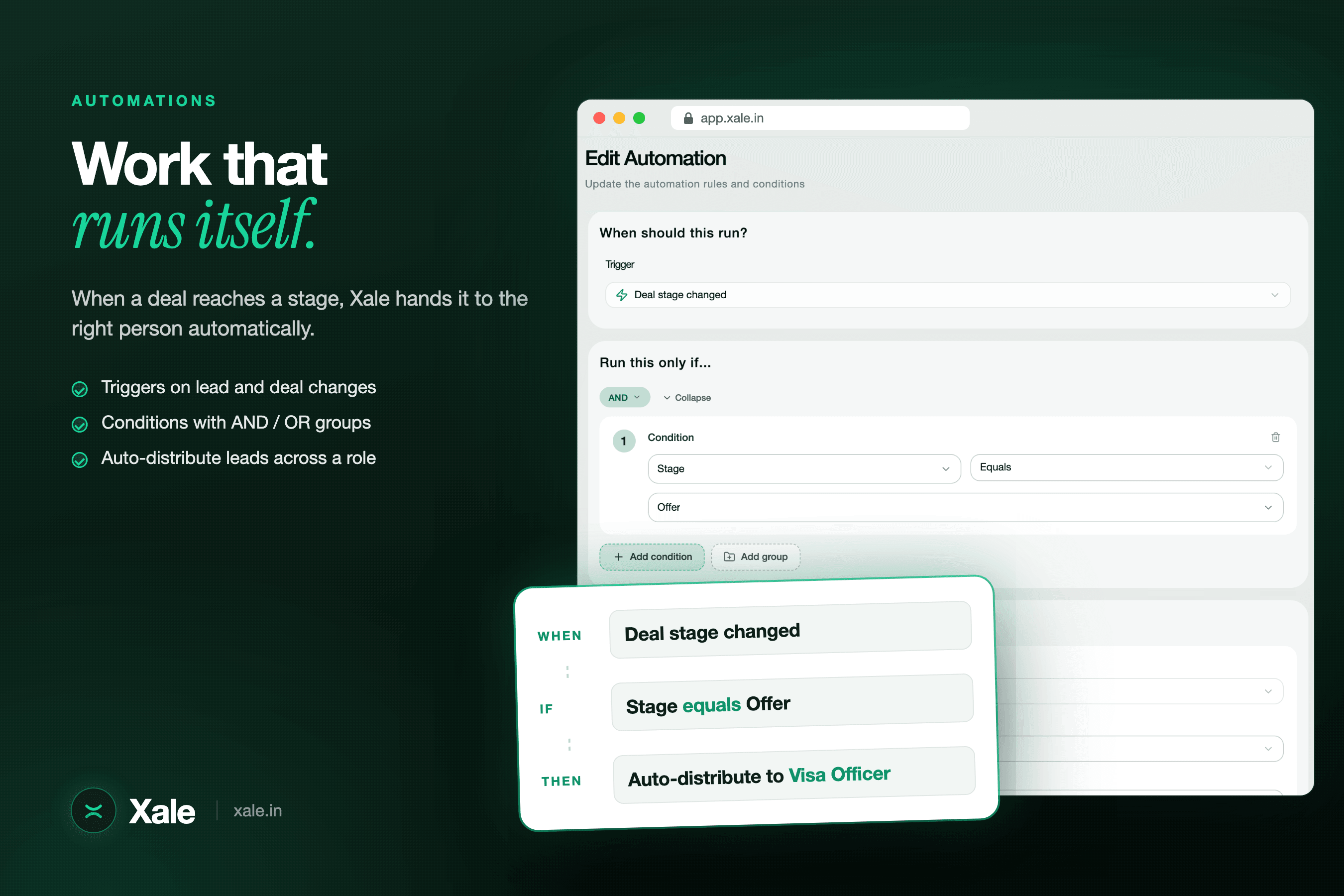
When an application is ready for verification, an automation sends it down its team's route: a senior check for the UK and non-Europe team, or straight to regional verification for Europe. A student's deals move together until regional verification, then each application moves on its own. Interview preparation is a track of its own, from the first assessment through nine mock rounds and a final mock to the result, so trainers work a list of their own without touching the application stages.
A dashboard for every role
Ten shared dashboard cards give interview trainers, CREs, counsellors, the application team and admins their own view, from the calls they made to the students who entered each stage that day. Each card shows the viewer their own scope, and Sterling's admins can change the cards themselves.
Timeline
How the work ran
Late August 2026
The workspace takes shape: deal fields for destination, intake and portal, country-specific statuses and the university and course catalogue.
31 August 2026
The mock-interview preparation track goes live.
7 September 2026
Onboarding day with the team.
12 to 15 September 2026
LeadSquared export and migration, stage by stage, complete on 15 September.
21 September 2026
Team routing goes live for the UK and Europe teams.
28 September 2026
Role dashboards go live for every team.
In the setup
What runs in the workspace
- Study Abroad template
- LeadSquared migration
- University and course catalogue, 18 countries
- Country-specific statuses
- Interview preparation track
- Check-in and check-out
- Role dashboards
The product behind it
Read how each part works
More customer stories
All customers →Multi-branch study abroad consultancy
Skymark Education
A study abroad consultancy with branches across Kerala. We moved their whole history across from their previous CRM and now run their branches, destinations, applications and automations in one workspace.
Read the story →Multi-centre academy
Adi Institute
A multi-centre academy across Kerala, Bangalore and online. We connected every Meta Page, set up fair counsellor routing and built a dashboard pack for sources, courses, centres and conversions.
Read the story →University admissions team
Jain University
The admissions team at Jain University's Kochi campus. We connected the campus website, spreadsheet forms and Meta Lead Ads so every enquiry lands in one pipeline, tracked programme by programme.
Read the story →